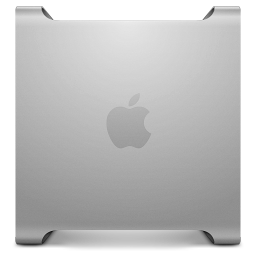
Happy New Year!
While this isn’t a post related to my PowerMac G5, still sitting close by waiting to be booted in a day or two, I have been intrigued to give Mac OS X Mavericks a try recently on an older Mac mini (2014).
Why Mavericks? The author of the excellently put together Mavericks Forever website makes a case that he simply wasn’t interested in what the modern MacOS experience was providing and found Mavericks a cozy balance between past and future:
- Speed. Mountain Lion was noticably slower than Mavericks on the same hardware, particularly in memory-constrained environments. Mavericks supports memory compression, and it makes a big difference!
- Aesthetics. Mountain Lion borrows many visual elements from early iOS, such as its linen-clad Notification Center and leather-bound Contacts app. I wanted a computer, not an iPhone. The Contacts app in Mavericks is actually closer to the one in Snow Leopard.
- App Compatibility. Mavericks supports more recent versions of apps like Affinity Photo and VMWare Fusion. iMessage works on Mavericks, as does Zoom. By contrast, I’m not aware of any software that works on Mountain Lion but not Mavericks.
The website provides a detailed process to prepare, install, slim down, and stock your older Mac with everything it needs to get on the net and enjoy a more austere Mac OS X experience.
While it took a small amount of finagling, I decided to take the plunge and turn my old Mac mini with 16GB of RAM and 2TB SSD into a Mavericks server. Instant reaction? It’s fast. Very fast. With a legacy version of Firefox, recently updated, I can browse the web with speed. There is little clutter – it feels good.
What are the downsides? Theoretically, just like our G5s, security holes that have not been patched will remain unpatched. Using older software brings those same risks.
The only major disappointment I encountered is rediscovering that Mavericks will simply not recognize a non-Apple SSD on an old MacBook Air. I forgot that High Sierra was the inflection point that opened up wider SSDs and TRIM support on many laptops with proprietary connections. However, I like this setup enough that I may install the original SSD and see if my MacBook Air running Mavericks can make a small but capable daily driver in 2026.
Anyway, enjoy!
And yes, planning to hit VCFSocal in February.
— Nathan