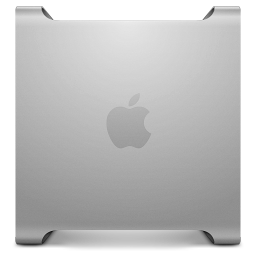

Guess what? You can use iCloud Drive on a Power Mac G5

On the Office page here, I have a little section about iCloud compatibility, mentioning that basically Leopard and PowerPC Macs are left out in the cold.

But today, I realized that all is not lost.

First, I will update the iCloud information on the site just to make sure all the options are clear. You can use your iCloud email with Mail.app, since it works pretty typical of email. You can use the iCloud website to access lots of goodies – it works great in TenFourFox. There is probably some way to use your iCloud calendar if you use a Google Calendar as a go between.

But here is the simple way to begin to access iCloud Drive files on your G5.

You will want to use symlinks with Dropbox (or another file syncing cloud software of choice).

In truth, this is a pretty simple solution, and I was kind of disappointed that I did not think about it earlier. To back up, here’s the challenge. I’ve been writing a lot lately using MarkDown, as previous posts indicate. My preferred client on my Macbook Pro is Byword, which integrates really well with iCloud Drive and syncs with my iPhone and its Byword app. I can save files outside of that drive, and so one option was to simply use Dropbox for all of my file syncing and ignore iCloud Drive. But, it was kind of late to do that, as I was already using iCloud Drive quite extensively. This is not a problem on a Windows machine, by the way, as you can setup iCloud Drive on it.

So, what do you do on a Power Mac G5?

Here’s the thing, you need to start with your newer Mac. (I suppose there might be a way on your Windows machine, but I haven’t explored symlink capabilities on it.) You can use an app like MacDropAny if you get nervous about tinkering with the command line, but in truth, it’s super simple. The terminal line is:

ln -s /link/to/original/file/or/folder /link/to/destination/folder

This page has a great diagram to show how this works in Mac OS X, if you are a little more of a visual learner.

The key is that you fill in the location of your Byword folder (or any other folder of choice) in the first part of that command and then point the other end to a folder or location in your Dropbox folder. Suddenly, your Dropbox folder will begin to sync those iCloud files in its magical way. Suddenly, even on your ancient Power Mac G5, you can edit and access iCloud files for fun and profit.

This is a huge and quite simple thing for me, as I will be able to spend more time writing on my G5 and MBP and iOS device, sharing files between them all. Cool stuff. And best of all, there really shouldn’t be any downsides to this option unless I fill up Dropbox.

Theoretically, you could use Dropbox in this way to sync your entire iCloud Drive, making every file there completely accessible to an older Mac or another computer. Just keep in mind the built-in Dropbox limits if you try this. Plus, you will likely encounter incompatibilities between some types of files – say older versus newer versions of Pages. But, hey, it’s a possible solution which is great for us G5 users.

By the way, if you want to do more symlinking, grab the SymbolicLinker plugin to use on your PowerPC computer of choice. It creates a contextual menu option in the Finder, so you can go crazy with it.

— Nathan

Minecraft on a G5

I use my tattered old Dell to play an occasional game, including hosting a simple Minecraft server.

It’s a fun game, probably one of the better games made in quite some time because of its open-ended, creative mix of gameplay. I always tell skeptical adults that it’s like “legos for your computer”. My youngsters love to watch me play it, asking me to build or make things, explore caverns, or just try out stuff. Unlike some other games, it really opens imaginative possibilities that many other games and types of games fail to do.

Believe it or not, it is possible to play Minecraft on a G5. You must stick to Minecraft 1.5.1, a much older version than the current release (which is around 1.8.1, I think). Some good people over at the MacRumors forum have even setup a server just for these older G5 users. It looks sweet.

Check out this thread for discussion on the server and directions to finding the right client and launcher to run the thing.

I have not tried this yet, and it seems like it requires a special cracked version of Minecraft, which I certainly don’t have. (And is probably not legal?)

Check out some of the Youtube videos linked in that thread – cute stuff.

— Nathan

The G5: What’s the value today?

I bought my Power Mac G5 about 5 years ago – back then, I thought I got a pretty decent deal (around $200), as I had mostly PowerPC software and was into some light audio/video work.

Today, I’d highly recommend against spending anywhere near that on a Power Mac G5. After a quick glance on eBay, it looks like you can get a used G5 starting from around $50, maybe less. With each passing year leaving G5s behind in software options and security, the PowerPC world is becoming the domain of hobbyists, stubborn people, and probably some lingering legacy cases. So why or why not should you pick up a G5? And how much should you spend?

I have PowerPC apps that I cannot replace to keep my business/livelihood/data intact.

It’s clear that this is the strongest case for keeping and investing in a Power Mac G5. With the prices the way they are, it would be wise to go out and grab some backup machines to use for parts or as an insurance policy in case of disaster. Long term, you will still want to figure out an upgrade route to move that data and discover different app possibilities, since our machines are rapidly approaching the age of 10 (if not more). And security is not getting better in Mac OS X. In the meanwhile, spend what you need to keep your operation going.

I love PowerPC machines.

Good for you. Whether it’s for nostalgia or tinkering or fun, fiddling with PowerPC machines is a learning experience. A G5 is pretty much the ultimate PowerPC Mac with its somewhat recent hardware design. So, go for it – but even as a hobbyist myself, I encourage you keep it within reason. Be sure to shop around and stretch your dollars. Try to get an old machine for free or next to nothing if you can. There is no point in outlaying some serious money on old tech unless you have a serious need.

I need an updated computer, or someone wants to give me their old Mac for free so I can surf the internets.

Let’s be clear – yes, a G5 can be a decent machine to get stuff done, surf the internet, email friends, and what not. But unless you are getting something for free with a knowledgeable tech person to help walk you through limitations, I’d recommend spending a fraction more to get something newer with updated browsers and better security support. In this case, unless you are really in for a learning experience, it’d be best to pass on an old PowerPC and look to something a little more current. Again, if the situation is right, it might not be an impossible choice to keep that hand me down rocking and rolling, but make sure you are aware of all of the caveats and limitations.

Maybe I’ll add some further scenarios in the future. Basically, unless you have a real critical need or a passion to be a hobbyist, a Power Mac G5 (and other PowerPC machines) is kind of a mixed bag. With the right knowledge and support, they can be darn useful – but the world is quickly passing us by.